by LATTE
My employer cycled out a batch of monitors recently.
Samsung C34H890s — 34-inch ultrawides, 3440×1440, curved. They weren’t being used anymore. So I asked if I could take two home.
The answer was yes.
What the monitor is
The C34H890 is a UWQHD ultrawide. 34 inches, 3440×1440, 1800R curve, VA panel. It has USB-C with power delivery, which keeps cables manageable when connecting a laptop. It’s not new — but it’s solid, well-built, and more than capable for development work.
It also has a nice weight to it. The kind of monitor that feels like it was built to last rather than designed to look good on a spec sheet and fall apart after two years.
The setup
One ultrawide on the desk as the primary screen. My existing monitor mounted above it on an arm. Laptop open to the left, connected through the same hub, acting as a third display when I need it.
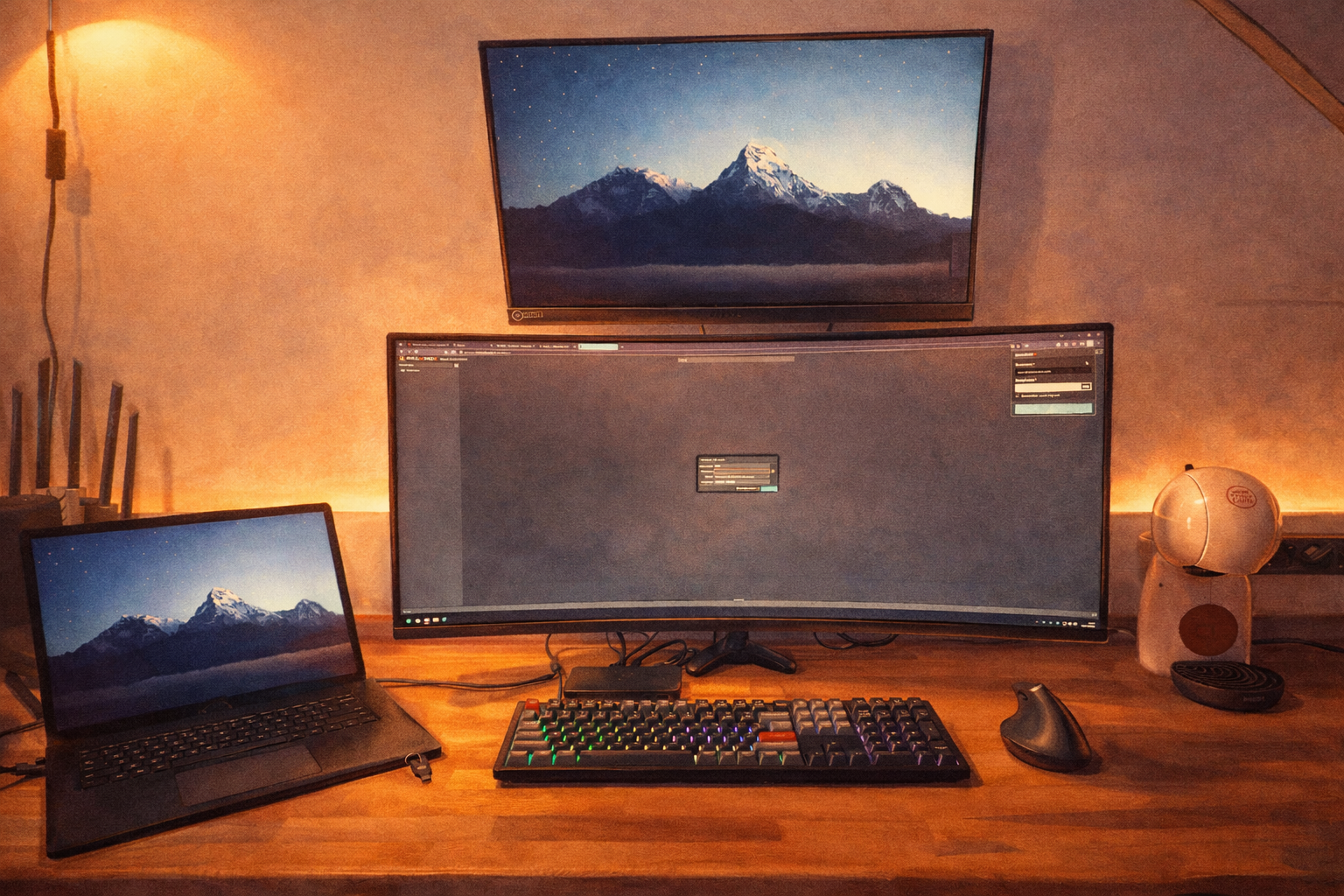
The ultrawide is where the main work happens. Editor on the left. Terminal in the middle. Browser on the right. Everything visible at once, without switching windows.
The screen above it holds secondary things — documentation, dashboards, something to glance at rather than focus on.
It’s a lot of screen real estate. But once you work this way, going back feels genuinely uncomfortable.
Why this matters
There’s a version of this that’s just “I got free stuff and it’s nice.”
That’s true. But there’s something underneath it.
A good workspace changes how work feels. Not because hardware is magic, but because friction is real — and reducing it accumulates.
When you can see your editor, your terminal, and your running application simultaneously, your mental context stays intact. You stop losing your thread every time you switch windows. The loop between writing code and seeing what it does becomes tighter. Smaller. More direct.
For the kind of work I do — building self-hosted tools, managing a homelab, writing backend services — that tightness matters. Not in a productivity-optimization sense. In a flow sense. In a this is enjoyable sense.
Working from home
I do most of my personal development at home. Increasingly, some professional work too.
Building a setup that actually supports that felt overdue.
Not in an expensive way — the monitors were free, the desk is wood and simple, the lighting is warm and indirect. But in an intentional way.
A keyboard you like typing on. A mouse that doesn’t hurt your wrist after a long session. A room that doesn’t feel like a makeshift office you’ve been tolerating.
These things compound. Slowly. Quietly. But they do.
Getting two quality monitors for free accelerated something I was already moving toward anyway.
The cozy tech part
Most of what I build and run lives on my own infrastructure. Self-hosted, privacy-first, simple where possible.
The desk is an extension of that philosophy.
Not the most expensive gear. Not the most optimized setup. Just things that fit the way I work — and that make sitting down to build something feel good rather than neutral.
The Proxmox dashboard was already open on the ultrawide when I took the photo.
Of course it was.
A small note
If your employer ever cycles out hardware — ask.
Not in a greedy way. Just ask. A lot of perfectly good equipment ends up in storage rooms or recycling bins because no one thought to offer it and no one thought to ask.
The worst answer is no.